Runtimes
Under Runtimes, you can deploy your builds as a runtime, either as logiccloud CaaS or as logiccloud Control.
You will also see all created runtimes with the status active or inactive.
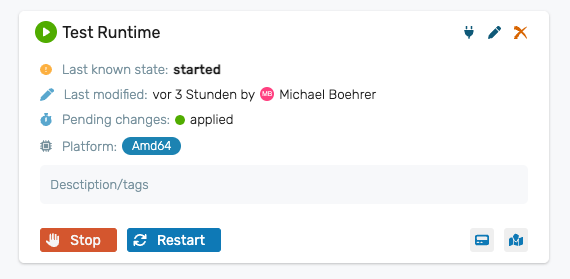
Create new runtime
- Navigate to Runtimesin your project.
- click on the green + icon
- Select the build from which you want to create a runtime.
- Enter name, description and coordinates and select platform, configuration and resource.
- You can assign tags to categorize your runtimes.
- Click Save.
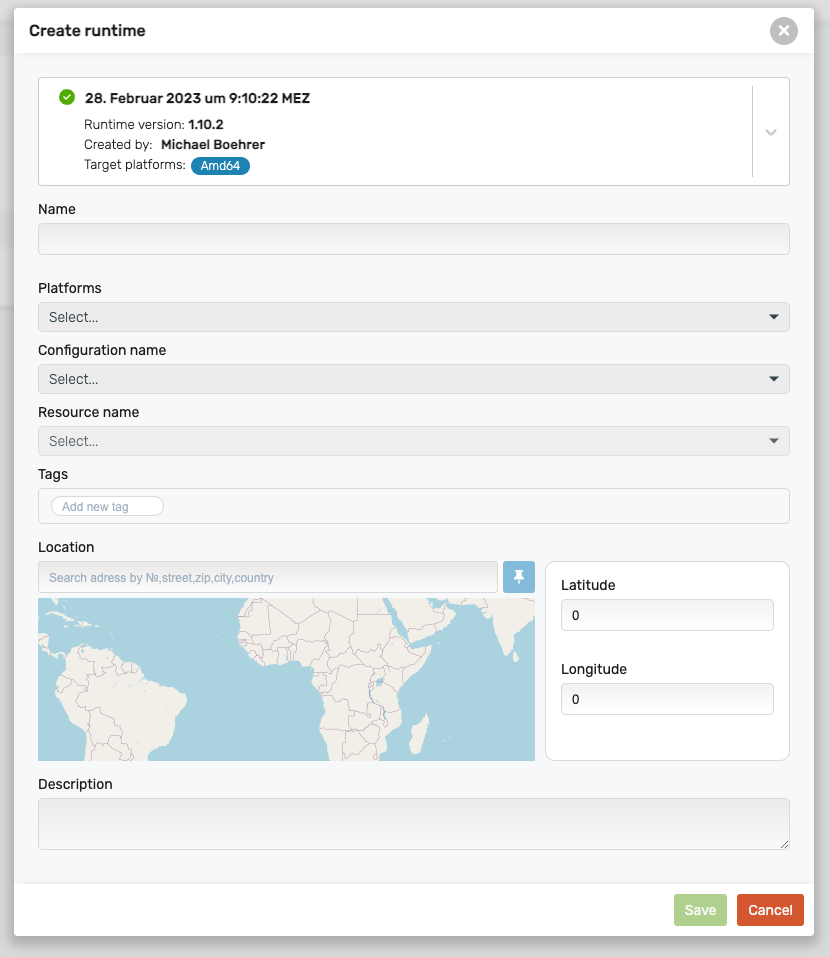
Runtime properties
Build: Selection of the builds that can be used for the runtime
Name`: Name of the runtime
Description: Description
Latitude: Longitude coordinates that you can assign so that the runtime is displayed on the overview map.
Longitude: Latitude coordinates that you can assign so that the runtime is displayed on the overview map.
Platforms: Select for which target platform the runtime should be created.
Configuration name: Selection of the configuration to be used for the runtime.
Resource name: Selection of the resource to be used for the runtime.
Tags: Tags that can be freely assigned.